
PIXSOFFICE · PHOTOGRAPHER GALLERIES
Pixsoffice is an online photo selection tool for photographers and their clients. Share a curated gallery, collect favourites, set selection limits and keep comments attached to the photos. Confirm the shortlist for editing, album design or delivery.
▶ Photo selection walkthrough · 5:19
See how photographers share galleries and collect client photo selections.


Use the Pixsoffice photo selection app in a browser on Windows PC, Mac or mobile. Send a gallery link so clients can review photos without installing a photo picker app. Start with a free trial to test selections, feedback and the handoff to your studio.
Use image comments and visual annotations to give editing requests context. A note beside the relevant photo is easier to interpret than a message that refers to “the one near the end”.

Prepare the images for review, group them into useful folders and explain what the client should choose. Wedding photographers can separate functions; portrait studios can organise outfits or setups. A clear brief helps clients make a useful shortlist.


Set expectations for the number of images included in the package. Selection limits help keep the review aligned with the agreed deliverables. Folder and tag rules can make choices clearer when an assignment contains several categories.
Favourites express preference; a confirmed selection tells the studio what to work on next. Review the chosen images and feedback, clarify changes and complete the approval stage before editing or album design. Keep the shortlist connected to the client’s collection.
Client selection collects the customer’s choices from a curated gallery. AI culling helps a photographer shortlist a shoot before sharing. AI event photo search helps guests find photos they appear in. Each serves a different stage of the workflow.
Empower clients with a complete online photo proofing experience—set selection limits, organize photos, collect feedback, annotate images, manage favorites, and streamline approvals in one intuitive client gallery.

Let clients select their favorite photos with flexible limits, making approvals faster and easier.
Organize photos into folders and set selection limits for each category, project, or requirement.

Use tags to organize photos and control selection limits for frames, people, and special photo requirements.
Collaborate seamlessly with text comments, audio notes, and photo-specific feedback to speed up reviews and approvals.

Draw, circle, highlight, and add arrows directly on photos to clearly indicate edit requests and revision areas.

Mark your favorite photos for quick access, easy shortlisting, and faster album selection during the proofing process.

Allow clients to update or reselect photos with a structured workflow, ensuring smooth revisions and final approvals.

Instantly reset selected photos, giving clients the flexibility to start a new selection without affecting the gallery.
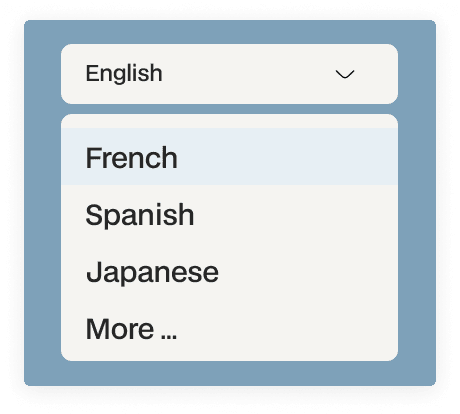
Deliver a personalized client experience with multilingual support, allowing clients to browse and interact in their preferred language.

Share galleries securely with clients, guests, collaborators, or the public using customizable access links and permissions.

Quickly filter selected, favorite, approved, or tagged photos to simplify review and speed up the selection process.

Upload photos with automatic compression while preserving the option to download full-resolution original files anytime.

Share the gallery with the intended client or collaborator and keep access aligned with the stage of the review.

Once the shortlist and feedback are confirmed, move into the final delivery workflow with the appropriate download options.
Upload the curated collection and organise folders around the assignment.
Tell the client the number of choices, intended use and review stage.
Clients mark favourites and add feedback beside the relevant images.
Review the shortlist before editing, album design or final delivery.
Can clients choose wedding album photos online?
Yes. Share a wedding proof gallery, explain the selection limit and collect the couple’s choices before starting the album design.
Does photo selection software automatically cull my photographs?
Client photo selection is a review workflow. It should not be confused with automated culling of duplicates, blur or technical errors.
Can clients change a selection?
The selection workflow includes reselection. Make the stage and revision expectations clear so the team knows which shortlist to use.
Is there free photo selection software from Pixsoffice?
Pixsoffice offers a free trial of its online photo-selection workflow. Review the current pricing and trial terms before continuing with a paid plan; this is not a permanently free product.
Is there a photo selection app for PC, Windows or Mac?
Pixsoffice photo selection runs online in a browser. Use the client gallery workflow rather than looking for a separate Windows or Mac desktop installer.
Can I download Pixsoffice photo selection software for free?
This product offers an online free trial, not a free desktop download. Start the trial through Pixsoffice and review the current plan allowances before using it for live client work.
Is AI photo selection the same as client photo selection?
No. AI culling helps a photographer refine the shoot, while client photo selection records the client’s choices. AI event face search is also a separate workflow for finding photos of a person.
Does the photo selection tool select a subject or background?
No. Here, photo selection means choosing photographs from a client gallery. For selecting an area inside a photo, use an image-editing tool such as Photoshop or Affinity.
Help couples choose wedding photographs for an album or editing shortlist.
Collect image comments, annotations and edit approvals in context.
Prepare a gallery, brief the client and confirm a useful shortlist.
Explore selection limits, favourites, comments and review tools.
Set a photo count, collect client picks and hand the shortlist to your album designer.
Connect photo selection, album feedback and final delivery in a gallery experience built for photographers.
